
Tokyo
Where tradition and restless energy move side by side.
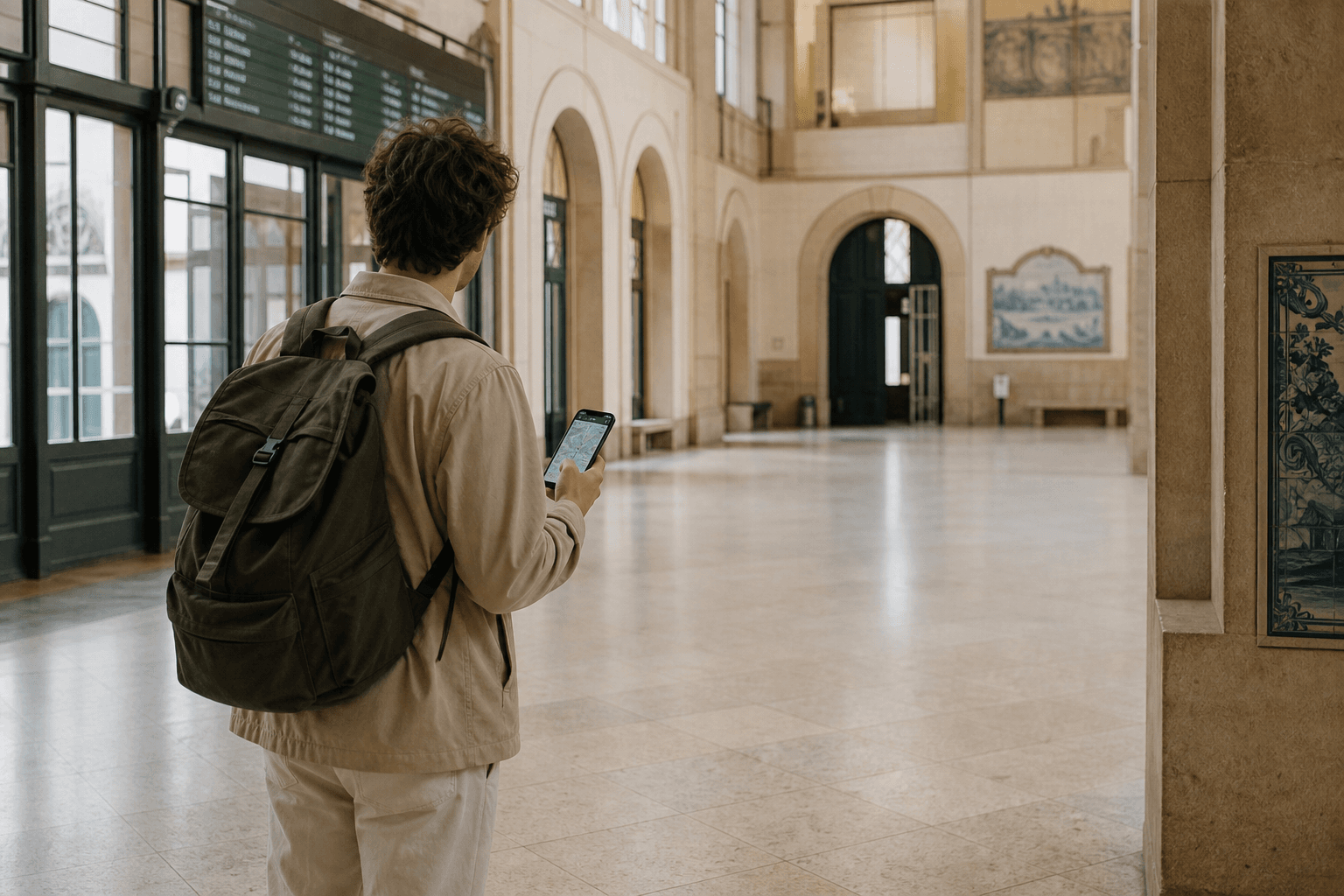
Should your connection stay on one phone, or travel with everyone in your group?
You leave the station, open a map, and wait for the blue marker to settle on the street you are standing in. The moment is small. The expectation is not: the connection should already be working when you need it.
That question is not about which technology sounds more advanced. An eSIM installs a data plan on the phone you already carry. A pocket Wi-Fi router creates a private Wi-Fi network several people can join. A physical SIM or your home carrier's roaming package may still be the simpler path for your phone and your trip.
Internet access is not the experience. It is infrastructure that lets attention stay on the journey — finding the right exit, confirming the next train, messaging your hotel, checking whether the temple you planned to visit is still open.
The useful decision is not eSIM versus pocket Wi-Fi as a contest. It is which option matches your devices, your group, and how you actually move through Japan.
An eSIM usually suits a solo traveler or couple with compatible unlocked phones who want connectivity on the devices they already carry — without collecting or returning hardware.
Pocket Wi-Fi often suits families, groups, or travelers connecting several phones, tablets, or laptops through one shared unit.
An eSIM depends on device compatibility, carrier-lock status, correct installation, and choosing which line carries mobile data. Pocket Wi-Fi depends on pickup or delivery, daily charging, carrying the unit, and returning it on time.
Neither option guarantees identical coverage or speed everywhere. Performance changes by location, building, congestion, and the underlying Japanese mobile network.
Travelers who need their home number for calls or SMS must understand dual-SIM behavior, possible roaming charges on the home line, and the limits of data-only plans. Messaging apps work well for many travelers, but they do not fully replace normal phone service.
Physical SIM cards and international roaming remain valid alternatives when a phone is locked, eSIM is unsupported, or minimal setup matters more than price.
The best connection method is the one that disappears into the journey. That usually means matching how many people and devices need access, not choosing the newer label.
Choose an eSIM when:
You are traveling alone or as a couple. Each traveler has a compatible unlocked phone. You want service on your phone soon after landing, without visiting a rental counter. You do not want to collect or return hardware. You are comfortable installing a mobile plan and managing line settings. You do not need one connection shared across many people at once. Carrying and charging another device would be inconvenient.
Choose pocket Wi-Fi when:
Several people will share one connection during the day. Multiple phones, tablets, or laptops need access. Some devices do not support eSIM. The group expects to stay together for most sightseeing. One person can reliably carry and charge the unit. A single Wi-Fi password is easier than configuring every phone separately.
Consider another option when:
The phone is carrier-locked. Calls and SMS on your normal number are essential. The trip is very short and your home carrier offers a reasonable Japan roaming package. The group will frequently separate for different day plans. You prefer a removable physical SIM or your device does not support eSIM. You cannot confirm device support before departure.
No option is universally correct. Flexibility and fit matter more than trend.
Choose the connection that matches your devices, group, and daily movement.
Choose an eSIM
You travel solo or as a couple with compatible unlocked phones and want connectivity on the device you already carry.
Works when you can install and manage a travel data line without collecting hardware.
Choose pocket Wi-Fi
Several people or devices will share one connection while the group stays together.
Works when one person can carry, charge, and return the router reliably.
Consider SIM or roaming
Your phone is locked, voice/SMS on your home number is essential, or eSIM setup is uncertain.
A physical SIM or your carrier's roaming package may involve less technical risk.
The right fit depends on compatibility, group behavior, and logistics — not which option sounds more modern.
An eSIM is a digital SIM profile installed on a compatible device. According to the GSMA, the industry body behind eSIM standards, it allows a cellular plan to be downloaded into a secure element inside the device rather than inserted as a physical card.
Installing a profile and activating service are separate steps. Some travel plans can be installed before departure but activated only after arrival, depending on provider guidance.
A data-only travel eSIM does not automatically mean your normal number receives calls or SMS on the travel line. Data-focused plans from worldwide providers are common for visitors. Local carrier plans may include a Japanese phone number, but that varies by product — do not assume it.
On supported iPhones, you can store multiple eSIM profiles and have two eSIM lines active at the same time. You choose which line carries mobile data in settings. With dual lines on, FaceTime and iMessage can continue to use your home line while data runs on the travel line, according to Apple Support.
Deleting an eSIM may make reinstallation difficult or impossible depending on provider rules.
An eSIM is not public Wi-Fi, not pocket Wi-Fi, and not the same as hotspot tethering from your home plan unless your chosen plan explicitly allows it.
Pocket Wi-Fi is a portable cellular router that connects to a Japanese mobile network and creates a private Wi-Fi network around it.
Any Wi-Fi-capable device can join — overseas iPhones, Android phones, tablets, and laptops included. The router provides data access, not a normal phone number for calls or SMS. Messaging and video-call apps are the practical alternative for voice contact.
Every connected device shares the router's data allowance and available bandwidth. The group must remain near the person carrying the unit for everyone to stay online.
According to JNTO, rental kiosks for personal hotspot devices are located at major airports, and travelers can reserve online for hotel delivery. Packages typically include the router, charger, and return instructions — details vary by provider.
Pocket Wi-Fi is not an eSIM, not a physical SIM in your phone, and not a substitute for understanding when your phone still needs its own cellular line for calls or authentication texts.
Both options connect you to Japanese mobile networks. They solve different logistics problems.
An eSIM puts data on each compatible phone. Setup happens in phone settings — usually with Wi-Fi available for installation. There is no hardware to return, but compatibility and line management become your responsibility.
Pocket Wi-Fi puts data on one shared router. Setup is often as simple as joining a Wi-Fi network with a password printed on the device. One person manages pickup, charging, and return, but several devices benefit.
Coverage for both depends on the underlying network, your location, and local conditions. Neither removes the need for offline fallbacks in rural stretches, underground spaces, or busy congested areas.
If your group separates for different day trips, pocket Wi-Fi stays with whoever carries it. An eSIM on each traveler's phone provides independence but requires multiple compatible devices and plans.
eSIM and pocket Wi-Fi connect you through different hardware and daily habits.
| Criteria | eSIM | Pocket Wi-Fi |
|---|---|---|
| Best for | Solo travelers or couples with compatible unlocked phones | Families, groups, or multi-device trips staying together |
| Setup | Install profile in phone settings; often needs Wi-Fi first | Power on router and join its Wi-Fi network with a password |
| Sharing | One plan per phone; sharing needs hotspot if plan allows | Several devices join one router and share its data |
| Hardware | No extra device to carry or return | Router, charger, cable, and return envelope to manage |
| Charging | Uses your phone's existing battery | Router needs daily charging; power bank helps |
| Pickup and return | No airport counter or postbox return | Pickup or delivery before use; return via postbox on departure |
| Main risk | Incompatible or locked phone; wrong line settings | Dead battery, missed return, or separating from the carrier |
Best for
Setup
Sharing
Hardware
Charging
Pickup and return
Main risk
Many trips use neither option perfectly alone. Choose based on devices and how your group actually moves.
Compatibility is the main failure point for eSIM travel. Check before purchase, not at the airport.
Verify:
Your exact phone model and regional variant. Whether the device supports eSIM at all. Whether the phone is carrier-unlocked. On iPhone, Settings → General → About should show "No SIM Restrictions" next to Carrier Lock when unlocked, per Apple Support. Operating-system requirements for installation. How many eSIM profiles and active lines your device allows. Whether you need to keep your home SIM active for SMS or authentication codes. Whether your chosen plan allows hotspot or tethering. How to prevent unintended roaming charges on your home line while abroad.
Apple Support lists iPhone XS and later as eSIM-capable. Samsung notes that eSIM may not be supported on a device even when the model name appears on a support list, depending on country of origin and regional variant. Google Pixel Help advises contacting your carrier to confirm eSIM support and verify your device IMEI if you did not buy the phone from that carrier.
Do not give one universal setup path. iPhone, Pixel, and Samsung differ in settings menus and dual-SIM behavior. Follow your device maker's guidance and your plan provider's instructions together.
For eSIM:
Apple Support notes that iPhone eSIM setup usually requires a Wi-Fi network or hotspot. Install on stable Wi-Fi before flying when your provider permits it. Screenshot or securely save QR codes, activation details, and provider instructions before departure.
For pocket Wi-Fi:
Order ahead of arrival when possible. JNTO states that travelers can make a prior reservation online and have the device delivered to a hotel. Timing varies by provider and region.
For both:
Confirm your phone is unlocked if you plan an eSIM or physical travel SIM. Download offline maps and save key reservation PDFs before departure.
For eSIM:
After landing, confirm the travel line is turned on and selected for mobile data. Test maps and messaging in the airport area before committing to a long train ride. JNTO notes that major international airports — including Narita, Haneda, Kansai, New Chitose, Centrair, and Fukuoka — provide free terminal Wi-Fi if you still need connectivity to finish activation. The same arrival hour also covers customs, cash, and transport choice — Airport Arrival Guide: Your First Hours in Japan walks through that sequence without duplicating connectivity setup here.
If you use dual lines, check which line is carrying data and whether home-line data roaming is disabled to avoid surprise charges.
For pocket Wi-Fi:
After pickup or delivery, power on the router, join its Wi-Fi network, and enter the password from the device label. Test connectivity before leaving the airport or hotel.
For both:
Save accommodation addresses and key tickets offline as a fallback. Connection should help the journey, not become the first thing you troubleshoot on a platform in Tokyo or Kyoto.
Performance depends on the underlying Japanese mobile network, your location, indoor conditions, congestion, device radios, plan rules, and how many devices share the connection.
JNTO notes that wireless hotspots are common in major cities, but recommends Wi-Fi rental for guaranteed access — especially in more remote areas. Pocket Wi-Fi performance follows the same logic: strong in cities and along many transport corridors, weaker or variable in some buildings, mountain routes, or remote areas.
Do not claim nationwide identical speed. Underground stations, dense buildings, rural Hokkaido stretches, and busy evening congestion can all change results on the same plan.
"Unlimited" plans may still include fair-use rules, speed management, or daily thresholds depending on the provider. Do not assume unrestricted full-speed data because the headline says unlimited.
If several devices share one pocket Wi-Fi router, available bandwidth is divided among them. Heavy map use, video calls, and laptop backups on the same unit will feel different from one phone on an eSIM.
Pocket Wi-Fi is economical and simple when the group stays together. One router, one password, several devices connected.
It becomes less useful when people separate. The connection travels with whoever carries the router. If one person visits Mount Fuji while another stays in Tokyo, a shared router cannot serve both unless you plan deliberate handoffs.
An eSIM on each traveler's phone provides independence. Each person needs a compatible device and a plan, but separate day trips, split museum visits, and different walking routes are easier.
Couples who stay together all day may do well with either one eSIM each or one pocket Wi-Fi. Families with children using tablets often benefit from shared Wi-Fi. Groups of friends with different day plans usually need per-person connectivity or clear agreement about who carries the router when.
Laptops and remote work increase data demand. A shared router can work for hotel evenings and co-working mornings; verify plan limits before relying on it for large uploads.
A data-only eSIM or pocket Wi-Fi does not give you a normal Japanese phone number for standard calls and SMS unless your specific plan includes voice service.
Pocket Wi-Fi provides data only. Voice contact usually happens through messaging apps, video calls, or hotel phones.
With a travel eSIM and an active home SIM, dual-line phones can keep the home number available for iMessage, FaceTime, and some app-based contact while data runs on the travel line, per Apple Support. Standard SMS and cellular calls on the home number may still incur roaming fees if that line is active abroad.
Authentication codes for banking, tickets, or two-factor login often arrive by SMS to your home number. Many travelers keep the home SIM active for texts while disabling home-line mobile data roaming. Test this before you need a code urgently.
Emergency calling behavior varies by device, carrier, and plan. Do not assume a data-only travel eSIM fully replaces normal emergency phone service.
Voice-capable physical SIM options remain relevant for travelers who need conventional calling without relying on apps.
An eSIM uses your phone's existing battery. Heavy map navigation, photo backup, and messaging drain the phone you already depend on for tickets and payments — including IC card taps and cash or card purchases.
Pocket Wi-Fi adds a second device that needs power. Battery life varies by router model, daily use, and number of connected devices. A power bank is worth carrying on long sightseeing days.
Practical habits:
Agree who carries the router each day. Pack the charging cable and power bank every morning. Top up the router during lunch or train rides on long days. Do not let the router die while the group is separated in an unfamiliar neighborhood.
Connection reliability is also daily logistics, not only network quality.
eSIM generally avoids physical collection and return. It does not avoid setup. You may still need Wi-Fi, a saved QR code, and a few minutes of settings work before maps work on the street.
Pocket Wi-Fi usually involves logistics:
Order before travel when possible. Choose airport counter pickup or hotel delivery — JNTO notes both are common options at major airports. Collect with passport or ID where required. Return via the method your rental company specifies — often a prepaid postbox envelope or airport drop-off.
Exact airport counter hours, terminal locations, and same-day pickup availability vary by provider and airport. If you arrive very late, hotel delivery may be safer than counter pickup.
If you are forwarding luggage between hotels, keep your phone, router, and chargers in your day bag — see luggage forwarding in Japan.
Alternatives remain useful.
Physical SIM may suit:
Unlocked devices without eSIM support. Travelers who prefer a removable card. Voice-capable plan needs. Longer stays with straightforward top-up habits. Users comfortable temporarily replacing or managing the home SIM.
International roaming may suit:
Very short trips. Travelers whose home carrier offers a reasonable Japan package. People who need the normal number with minimal setup. Business travelers whose employer covers roaming costs.
Disadvantages exist without exaggeration: roaming can be expensive on some carriers, may include data caps or speed limits, and can produce accidental charges if settings are left unchanged. It is not always costly — check your own carrier before dismissing it.
Public Wi-Fi alone is rarely enough for a full trip. It can supplement maps or hotel planning, but it should not be your only connection strategy.
Buying an eSIM before checking device compatibility.
Discovering the phone is carrier-locked at the airport.
Installing a profile but not activating or selecting the correct data line.
Deleting a paid eSIM before the trip ends.
Leaving home-line data roaming enabled.
Assuming data-only service includes normal calls and SMS.
Buying "unlimited" without reading fair-use or throttling rules.
Assuming hotspot use is included on an eSIM plan.
Letting the pocket Wi-Fi battery die on a long sightseeing day.
Separating from the person carrying the router without a backup plan.
Forgetting the charging cable or power bank.
Missing pickup hours or delivery timing.
Forgetting to return the rental device or losing the prepaid envelope.
Relying on public Wi-Fi as the only connection.
Choosing solely by advertised data volume rather than itinerary and group behavior.
Check compatibility before purchase, not after landing.
Screenshot installation instructions and save QR codes securely before flying.
Install an eSIM on stable Wi-Fi when your provider allows pre-arrival installation.
Label SIM lines clearly in phone settings so you know which carries data.
Disable home-line mobile data roaming if you keep the home SIM active for SMS.
Test maps and messaging in the airport area before a long Japan Rail Pass transfer day.
Carry a power bank for pocket Wi-Fi and for phone-heavy eSIM days.
Agree who carries the router and who keeps the return envelope.
Plan for days when the group separates — per-person eSIM, or deliberate router handoffs.
Save accommodation addresses offline and download offline maps as a fallback.
Compare full-trip cost, not only the daily headline price.
Leave room in planning for busy travel weeks when pickup counters are crowded — see Living by the Calendar.
Match connectivity choices to your route density rather than stereotypes — as with rail and payment decisions in Planning Less, Seeing More.
Connectivity in Japan is layered rather than invisible. Fast mobile networks coexist with buildings, mountain routes, underground spaces, and regional areas where performance changes from block to block.
Travelers make better decisions when they treat connection as ordinary infrastructure — like cash, cards, or an IC card — rather than a promise that every screen will load instantly everywhere from Osaka to rural Hokkaido.
The goal is not to stay constantly online. It is to choose a method that works quietly for your devices and your group, then step back into the trip. When the map opens, the message sends, and the next train time appears, the connection has done its job.
Confirm whether your phone supports eSIM and is carrier-unlocked.
Check whether your plan is data-only and whether hotspot is permitted.
Decide solo eSIM, shared pocket Wi-Fi, physical SIM, or roaming based on group movement — not marketing labels.
Order pocket Wi-Fi early enough for your arrival airport or hotel if you choose rental hardware.
Save offline maps and key addresses before departure.
Plan where payment and authentication still need your home number — see Cash or Card in Japan for everyday spending alongside phone-based apps.
Pack a power bank if you use pocket Wi-Fi or navigate heavily on phone data.
Keep router chargers, return envelopes, and activation details in your day bag, not checked luggage.
Test one connection task immediately after arrival, then stop adjusting settings unless something fails.
eSIM vs pocket Wi-Fi in Japan is not a technology contest. It is a travel logistics question: whether your connection should live on each phone or travel with the group in one router.
For many solo travelers and couples with compatible phones, an eSIM keeps the setup light. For many families and groups moving together, pocket Wi-Fi keeps everyone on one network. For locked phones, voice-heavy needs, or very short trips, a physical SIM or roaming may still be the calmer choice.
Choose once, test early, keep an offline fallback, and let the connection fade into the background. The trip continues whether you are checking a map in Tokyo or boarding a train toward Kyoto — the best outcome is that you stop thinking about how you are online.
Continue exploring this way of seeing Japan.